


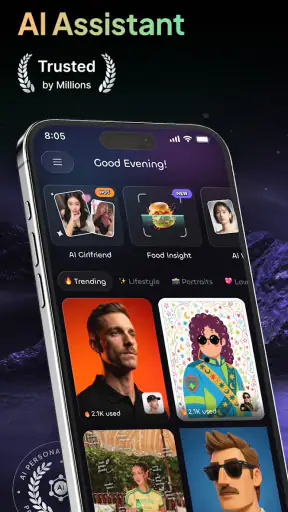



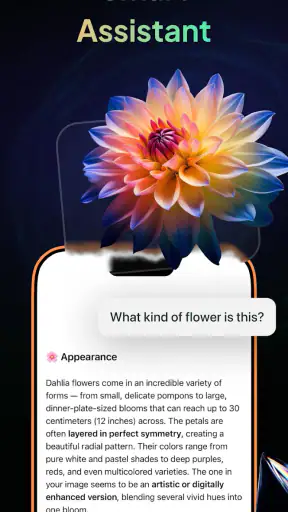
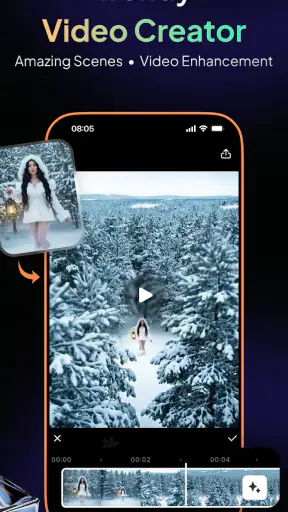
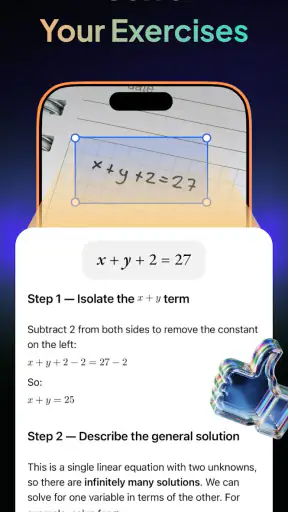

I tend to judge productivity apps by what happens after the first impressive prompt. Can the tool help me turn a vague idea into something usable, or does it simply produce a polished paragraph that still needs more work? Gendi AI - Ask AI Assistant is interesting because it brings chat, writing, image-related tasks, and everyday productivity into one place. In my experience, that makes it most useful as a flexible starting point rather than a complete replacement for every specialist app.
Developed by Growly, this free productivity app is aimed at people who want an accessible AI helper on a phone or tablet. It is suitable for Everyone, runs from Android 7.0 onward, and the current version is 1.10.0. The app has reached over a million installs and holds a 4.4 average from around 1.2 thousand ratings, which suggests that its broad, simple approach is appealing to a substantial audience.
From a rough idea to a finished result
Starting with the problem, not the prompt
The best way to use Gendi AI is to begin with the thing you actually need to finish. That might be a difficult email, a short plan for the day, a cleaner version of notes, an image idea, or help understanding a topic. I get better results when I describe the situation first and ask for a practical outcome second.
For example, instead of typing “write an email,” I would explain that I need to postpone a meeting, keep the tone friendly, avoid sounding vague, and suggest two alternative times. That gives the assistant useful boundaries. The response becomes easier to edit because it is built around a real handoff: my messy intention goes in, and a draft that another person can understand comes out.
This approach also prevents one of the common problems with general AI tools. When the request is too short, the answer may be technically correct but unsuitable for the situation. Gendi AI can help with the first draft, but I still need to supply the context, check the wording, and decide whether the result sounds like me.
A realistic morning workflow
Imagine I have a busy morning. I have scattered notes from a call, a message to send to a client, and a simple visual concept to prepare for a social post. I would start by putting the notes into the chat and asking for three things: a concise summary, a list of decisions, and a separate list of follow-up actions.
That separation matters. A single summary often hides the tasks inside a block of text. Asking for distinct sections turns the conversation into something closer to a working document. I can then review the actions and remove anything that was only a suggestion rather than a confirmed commitment.
Next, I would use the writing side of the app to turn one action into a message. I would not copy the first answer automatically. I would ask for a version that is shorter, then one that sounds warmer, and finally choose the wording that matches the relationship. This is one of the more useful habits with a general assistant: use it to create alternatives, not to make the final judgment for you.
For the visual part, I would describe the intended audience, subject, mood, and format before requesting an image-related result. A vague request such as “make a professional picture” leaves too much open. A more useful brief explains what the image should communicate and where it will be used. The difference is not just better output; it also reduces the amount of correcting afterward.
Keeping the handoffs under control
The central strength of this app is the way different tasks can begin from the same conversation. A piece of text can become a summary, a summary can become a checklist, and a checklist can lead to a message or a new request. That continuity feels more natural than opening a separate tool for every small step.
Still, a handoff is not automatic proof that the result is ready. When I move from notes to a summary, I check names, dates, quantities, and decisions. When I move from a summary to an email, I check whether the tone has become too confident. When I move from a written idea to an image request, I check whether the visual description still represents the original purpose.
The most important workflow lesson is to treat each generated result as a draft between two human decisions. That keeps the assistant useful without allowing a fluent answer to quietly change the meaning of the original request.
Where the time savings really appear
Gendi AI is not necessarily a shortcut for every task. If I already know exactly what I want to say, writing it myself may be faster than explaining it to an assistant and correcting the response. The time saving appears when the starting condition is messy: several notes, an unclear structure, a blank page, or a need for multiple versions.
It is particularly handy for transforming material. I can ask for a long explanation to become a short briefing, a casual note to become a more organized message, or a list of ideas to become a sequence of steps. These transformations are often more dependable as a workflow than asking the app to invent a complete plan from nothing.
Another practical technique is to request a structure before requesting polished language. If I need a presentation outline, I first ask for the main sections and the purpose of each one. Only after choosing the structure do I ask for speaker notes or a refined version. This avoids spending time polishing an arrangement that does not fit the goal.
The point where review becomes essential
General AI assistance always introduces a checking stage, and this app is no exception. A confident response can still misunderstand the question, omit an important condition, or present an assumption as a fact. I would be especially careful with health, legal, financial, academic, or workplace material where a small error can have consequences.
For ordinary drafting, brainstorming, and organization, that limitation is manageable. I can compare the response with my source material and adjust it. For high-stakes decisions, I would use Gendi AI as a way to prepare questions or organize information, not as the final authority.
The same caution applies to images and creative work. A generated concept may be useful for exploring direction, but it may not match brand requirements, accessibility needs, or the exact appearance of a real person or product. I would treat the visual output as a starting point unless the task is deliberately informal.
Who will get the most from it
I think Gendi AI is a good fit for students, independent workers, small teams, and anyone who regularly moves between writing, planning, and creative ideas. It is also approachable for people who have tried AI chat but do not want to assemble several separate applications for related tasks.
It can be useful for a student turning lecture notes into revision prompts, provided the student verifies the material. A freelancer might use it to create a first proposal, rewrite a project description for a different audience, and generate several communication styles. Someone managing a household could use it to organize errands, compare options, or convert a loose list into a practical sequence.
The app is less suitable for a person who needs a dedicated project-management system with carefully controlled assignments, deadlines, and team visibility. It is also not the best choice if the main requirement is advanced image editing, professional document layout, or a specialized writing environment. A broad assistant can connect tasks, but it may not offer the depth of a tool built around one discipline.
Free access and the cost question
Gendi AI is free to install, which makes it easy to try without committing money at the beginning. There are in-app purchases ranging from $5.99 to $239.99 per item, so I would pay attention to the purchase screen and understand what an optional upgrade provides before confirming anything.
That pricing range means the app deserves a little more consideration from frequent users than from someone testing it casually. If I only need occasional rewriting or brainstorming, the free experience may be enough for my routine. If I depend on it every day, I would compare the value of the paid options with a dedicated writing, image, or productivity service that may handle my main task more deeply.
I would also avoid judging the app by one unusually good conversation. The better test is a small set of repeatable tasks: summarize a real note, rewrite a genuine message, organize a practical list, and try an image-related request. If those outputs consistently reduce editing time, the app is earning a place in the workflow. If every answer needs extensive correction, the convenience of having several capabilities together may not compensate.
Small habits that improve the outcome
One useful habit is to include the audience and the desired length in the first request. “Explain this for a beginner in five short points” is more actionable than “make this simple.” I also like asking the assistant to identify assumptions separately. That makes it easier to notice where the response may have filled in a gap on its own.
For long tasks, I would work in stages rather than sending one giant instruction. First establish the objective, then the structure, then the wording. This creates natural checkpoints and makes it easier to correct the direction before a lot of text has been produced.
For recurring work, I would keep a personal prompt pattern outside the app. A short template containing the audience, purpose, tone, constraints, and desired format can make sessions more consistent. It also prevents me from relying on the assistant to remember details that should remain under my control.
Finally, I would separate private information from the material I submit. Even when an app is convenient, I do not need to paste unnecessary personal details, confidential business content, or identifying information into a general-purpose assistant. Replacing names and removing irrelevant specifics often preserves the task while reducing exposure.
How it compares with familiar alternatives
Compared with a conventional notes app, Gendi AI offers more help turning rough material into organized language. A notes app is usually better for direct control, quick capture, and keeping information exactly as entered. I would choose the notes app when preservation matters more than transformation, and Gendi AI when I need help shaping what I have collected.
Compared with a dedicated writing assistant, this app has the advantage of breadth. I can move from a draft to a question, a plan, or an image-related idea without changing tools. The trade-off is that a specialist editor may provide more precise controls for style, formatting, or long documents. For serious editorial work, I would still want a final pass in the writing environment where the document will live.
Compared with a standalone image application, Gendi AI is more useful during the idea stage than during detailed finishing. It can help me describe a concept and explore directions, while a specialist image editor remains the better place for exact adjustments and production-ready control. That distinction is important: the app connects the early stages, but it does not remove the need for specialist tools in every workflow.
Where the flow breaks
The workflow breaks when I expect one short request to produce a final, context-perfect result. It also becomes frustrating when I have to repeat crucial background because the task has changed direction. A general assistant can be flexible, but flexibility means I need to guide it clearly.
Another weak point is the temptation to accept fluent wording too quickly. A polished message may sound professional while making a promise I did not intend to make. A neat summary may leave out the one detail that matters most. The more important the handoff, the more deliberately I need to compare the output with the original material.
There is also a practical trade-off between convenience and specialization. The all-in-one approach is attractive for everyday tasks, but users with strict formatting needs, advanced collaboration requirements, or professional creative workflows may outgrow it. In those cases, Gendi AI can still be useful at the brainstorming stage, while another application handles the controlled final production.
My overall recommendation
After using it as a general productivity companion, I see Gendi AI as a capable bridge between an unfinished thought and a more usable result. Its value comes from combining chat, writing help, image-related work, and organization in one accessible app rather than forcing me to decide which specialist tool to open first.
I would recommend it to someone who often starts with incomplete notes, needs several versions of a message, or wants help moving from an idea to a practical next step. I would not recommend relying on it without review for sensitive decisions, exact professional output, or tasks where a dedicated application offers essential control.
With an Everyone content rating, a free starting point, and support for older Android devices from version 7.0 onward, it is easy to approach. The real question is not whether it can produce an impressive answer once, but whether it repeatedly helps you finish ordinary work with less friction. For me, it succeeds when I use it as a guided middle step: I provide the context, it helps shape the material, and I remain responsible for the final result.


